Français

Booked meetings, without the back-and-forth.

Leadfall emails your prospects from your own inbox. When they reply, its AI agent answers and books the meeting on your calendar.

Start your free trial14-day Pro trial. No credit card required.

Example Conversations

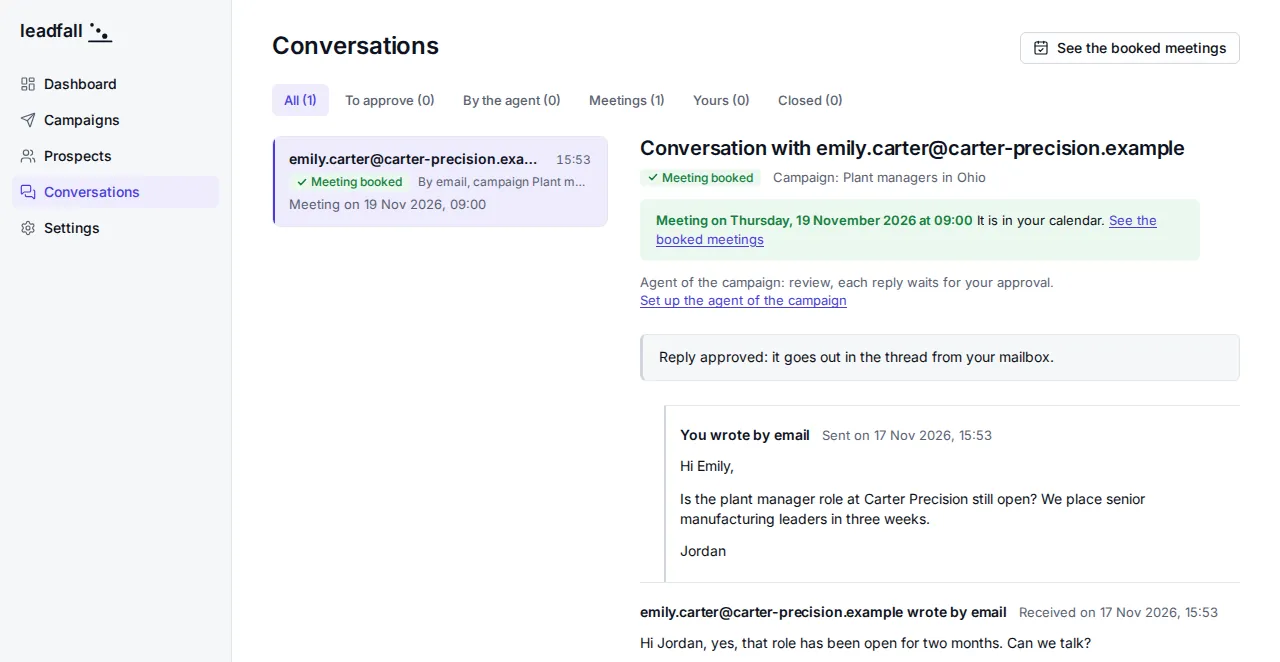
Screenshot of Leadfall, the conversation with emily.carter@carter-precision.example: “Meeting booked”, then the banner “Meeting on Thursday, 19 November 2026 at 09:00. It is in your calendar.”, above Jordan's first email and Emily's reply.
The meeting the agent booked, already on your calendar.

How a prospect becomes a meeting

  1. LinkedIn and email

    Messages go out from your own LinkedIn account and inboxes, with any email provider.

    • LinkedIn
  2. Leadfall

    Connects your inboxes, calendar, and CRM, and runs everything in between.

  3. Your company context

    The AI reads your website to learn what you sell. You review it.

  4. Outreach

    A first email and up to three follow-ups, paced to protect your domain.

  5. Automatic replies

    The agent answers in the thread, offers your open times, and signs as an AI.

  6. Meetings in your calendar or CRM

    Prospects pick a time. The meeting lands in your tools.

    • Google Calendar
    • Microsoft 365
    • HubSpot
    • Pipedrive
    • n8n
    • Make
    • Zapier

The dashboard

Track every prospect in the app, from the first email to the booked meeting.

Example Dashboard

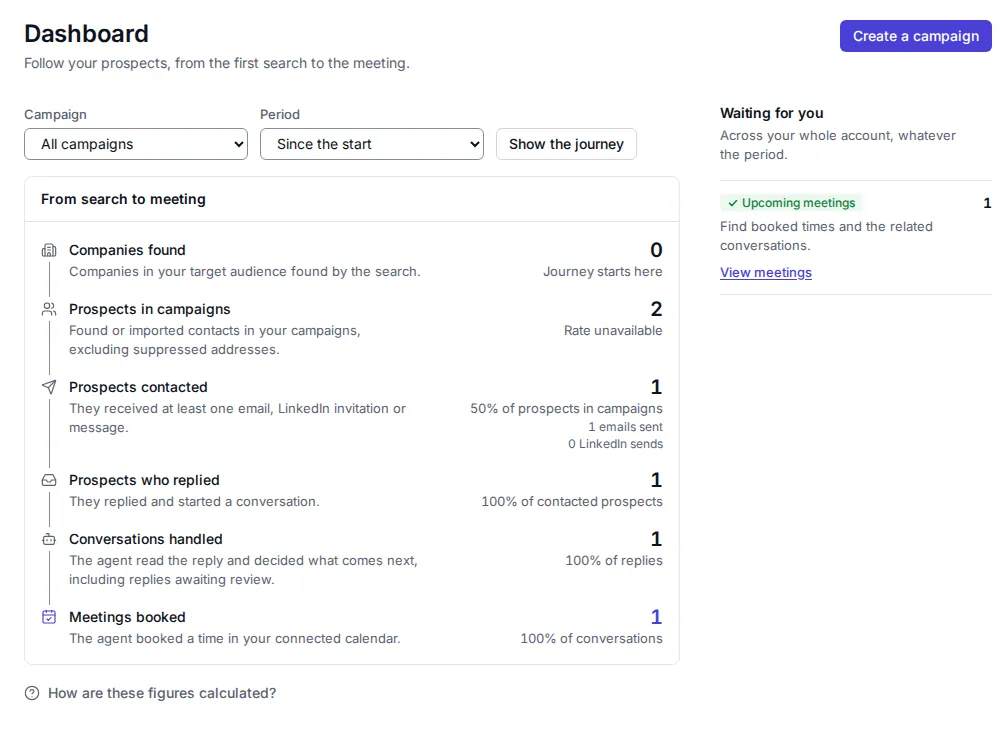
Screenshot of Leadfall, the dashboard: the prospects at each step, from the search to the meeting, with one meeting booked.
Every step shows its prospects, all the way to the meeting.

Your company context

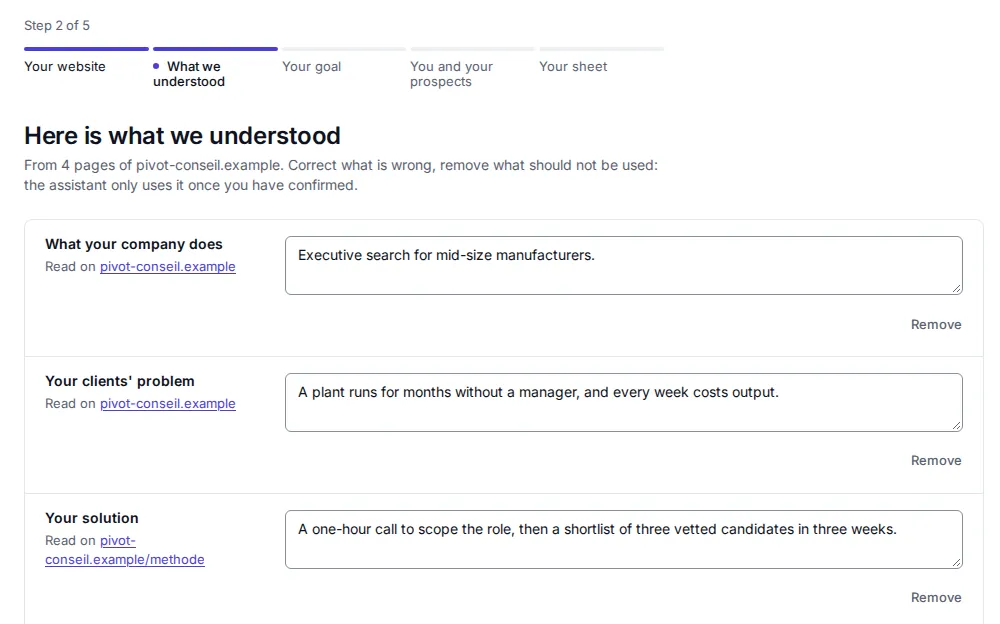
Enter your website. The AI learns what you sell, who you sell to, and why it matters. You review it, and the agent uses it to write and reply.

Example Guided setup

Screenshot of Leadfall, “Here is what we understood” from 4 pages of the demo website pivot-conseil.example: what the company does, its clients' problem, and its solution, each one to edit or remove.
Read from your website. You review it before anything goes out.

Outreach

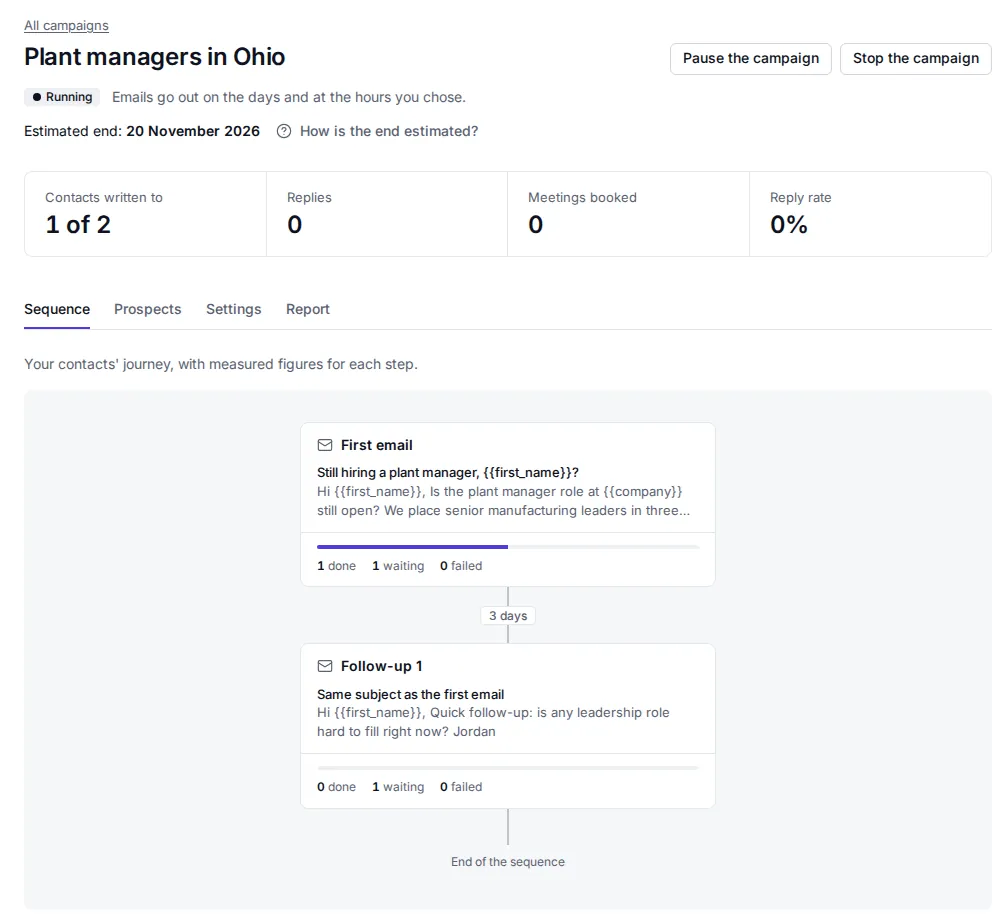
A first email and up to three follow-ups go out from your inboxes, on the days and at the times you choose. A reply stops the sequence.

Example Campaign

Screenshot of Leadfall, the running campaign “Plant managers in Ohio”: its numbers, then its sequence as a diagram: the first email, three days, the follow-up.
The follow-up goes out three days later, unless the prospect replied.

Automatic replies

When a prospect replies, the agent answers in the thread, offers your open times, and signs as an AI. In approval mode, it waits for your OK.

Example Conversations

  1. The campaign goes out from Jordan's own inbox.

    You wrote by email Sent Monday

    Still hiring a plant manager, Emily?

    Hi Emily, is the plant manager role at Carter Precision still open? We place senior manufacturing leaders in three weeks.

  2. Emily replies. The role has been open for two months.

    Emily Carter wrote by email Received Monday

    Hi Jordan, yes, that role has been open for two months. Can we talk?

  3. The agent answers in the thread and signs as an AI.

    The agent replied by email Approved by you

    Thanks for getting back to me. Happy to talk. Would Wednesday at 2:00 PM, Thursday at 9:00 AM, or Friday at 9:00 AM work for you?

    Jordan's assistant (AI)

  4. Emily picks a time.

    Emily Carter wrote by email Received Tuesday

    Thursday at 9:00 AM works. Thanks!

  5. The meeting lands on Jordan's calendar.
    Meeting on Thursday at 9:00 AM It's on your calendar, and Emily has the invite.

Step 1Step 2Step 3Step 4Step 5

Meetings in your calendar or CRM

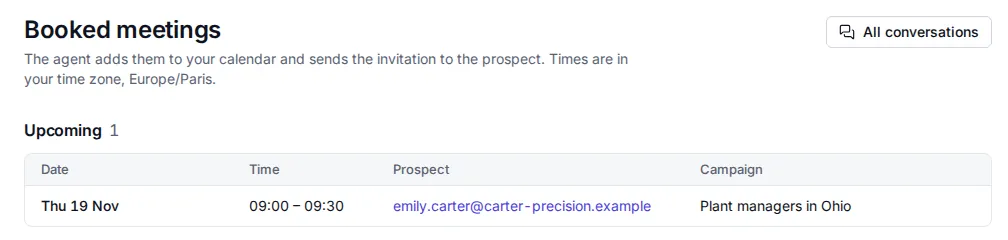
The time they pick goes straight to your Google or Microsoft calendar, with an invite for the prospect. Leadfall also sends it to HubSpot, Pipedrive, or any other tool through n8n, Make, or Zapier.

Example Booked meetings

Screenshot of Leadfall, the booked meetings: Thu 19 Nov, 09:00 to 09:30, with emily.carter@carter-precision.example, from the campaign Plant managers in Ohio.
The booked time, with the prospect and their campaign.

Every plan includes the AI agent

Priced per account, not per seat. Every account starts with a 14-day Pro trial. No credit card required.

Billing
  • Solo

    For consultants who do their own outreach.

    $49 per month, plus applicable taxes. Billed monthly.

    $42 per month, plus applicable taxes. $126 billed quarterly.

    $34 per month, plus applicable taxes. $408 billed annually.

    Start your free trial

    • 3 mailboxes
    • 3,000 emails per month
    • 1 LinkedIn account
    • AI agent, 100 conversations per month
    • 100 companies sourced per month
    • No autopilot
  • Growth

    For agencies running outreach at scale.

    $249 per month, plus applicable taxes. Billed monthly.

    $212 per month, plus applicable taxes. $636 billed quarterly.

    $174 per month, plus applicable taxes. $2,088 billed annually.

    Start your free trial

    • 50 mailboxes
    • 50,000 emails per month
    • 20 LinkedIn accounts
    • AI agent, 2,000 conversations per month
    • 5,000 companies sourced per month
    • Autopilot

See what you've used this month at any time, right in the app.

Example Subscription

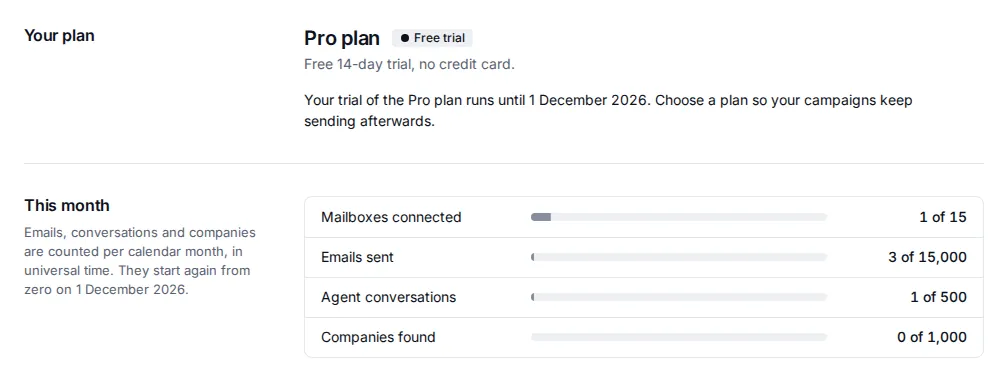
Screenshot of Leadfall, the subscription: the Pro plan on trial, then this month's usage: mailboxes connected, emails sent, agent conversations, and companies found.
What you've used this month, against your plan's limits.

Frequently asked questions

Example Conversations

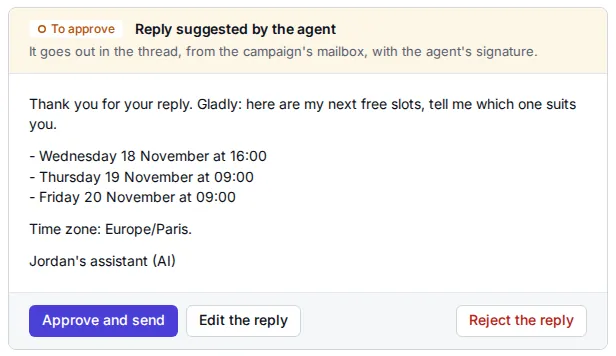
Screenshot of Leadfall, the reply suggested by the agent: three open times, the signature “Jordan's assistant (AI)”, and the buttons Approve and send, Edit the reply, Reject the reply.
In approval mode, nothing goes out until you approve it.

Can the agent say the wrong thing?

It sticks to your offer sheet, says it's an AI, and hands off to you as soon as a question goes beyond it, like custom pricing, a negotiation, or a complaint. In approval mode, nothing goes out until you approve it.

What happens when the trial ends?

After 14 days, pick a plan to keep going. If you don't, sending and the agent stop, but you keep access to your campaigns and their exports.

How do you handle my passwords?

Each mailbox password is encrypted before it's stored, and it never shows in plain text, on screen or in our logs. For Gmail, you use an app password that you can revoke at any time.

Is my LinkedIn account at risk?

LinkedIn's terms prohibit automation, and LinkedIn can restrict accounts that use it. Leadfall lowers that risk but can't remove it: it works in your own session, during your working hours, with conservative limits. Email works without LinkedIn.

Is cold email legal?

In the US, yes. CAN-SPAM lets you email businesses without prior consent, as long as your emails are honest about who you are and what you offer, include your postal address, and let people opt out. Every email ends with your name and address and invites a “STOP” reply, and Leadfall stops emailing that contact right away. Europe's rules are stricter: write only to professionals, about their work.

Start booking meetings

Create your account, connect your inbox, and describe your offer. Your 14-day trial starts right away. No credit card required.

Start your free trialLog in